Local-first
Projects, imported artwork, and autosaves stay on your device. No account or hosted backend.
 CriProx
THE LOCAL CARD SHEET STUDIO
A local-first studio for printable card PDFs and reusable Cricut cuts.
Turn playtest card lists and custom artwork into precise, reusable print sheets—without an account, cloud workspace, or subscription.
Free & open source · macOS, Windows & Linux · v0.12.0
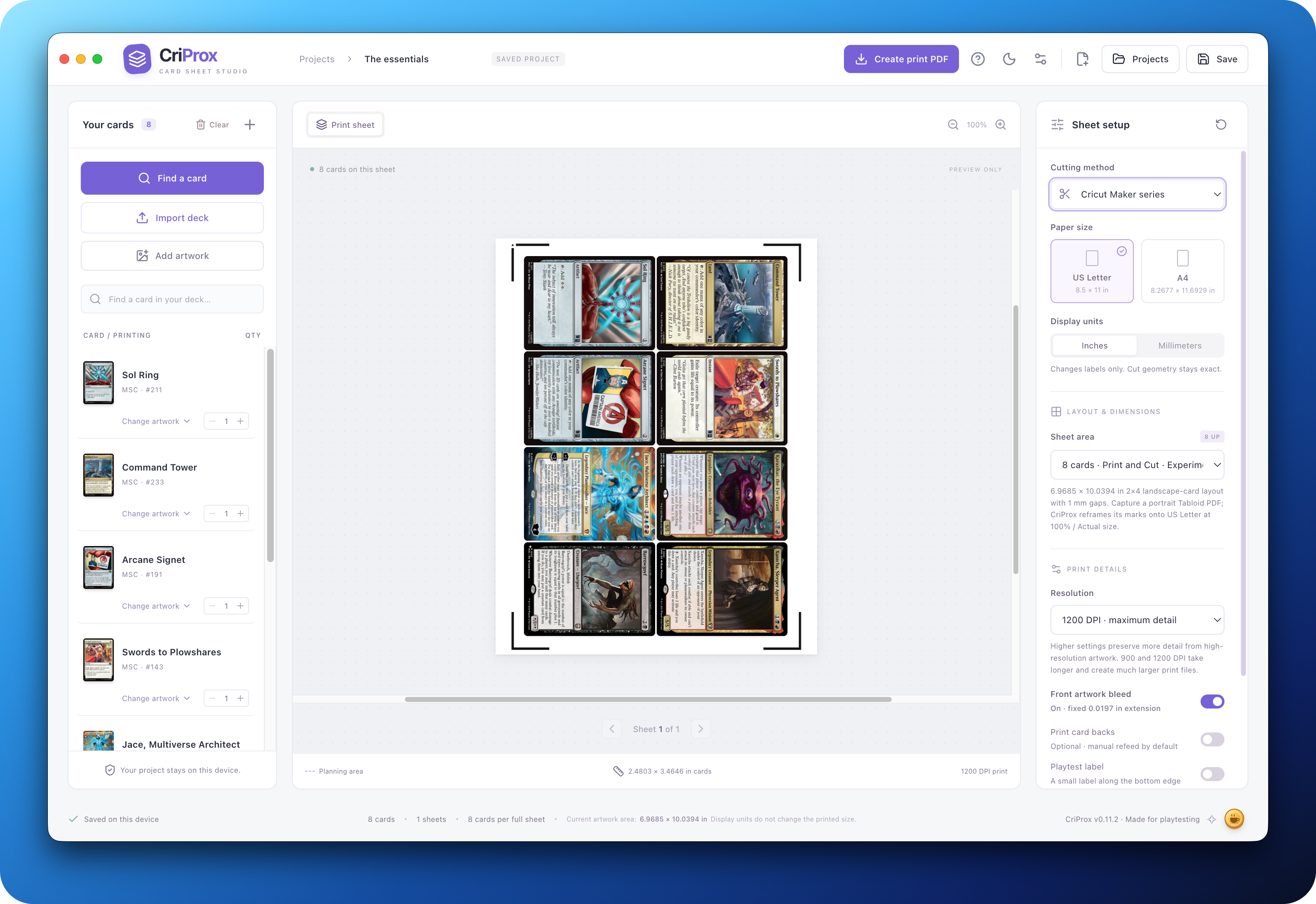
FROM LIST TO LAYOUT
Keep your attention on the deck. CriProx takes care of the sheet.
Projects, imported artwork, and autosaves stay on your device. No account or hosted backend.
Millimeter-based geometry, standard 63 × 88 mm cards, matched PNG/SVG output, and 300–1200 DPI export.
Search cards, browse sets or commander precons, choose Scryfall printings or MPC Autofill community art, or use local images.
Choose high-detail local 4× enhancement for Scryfall card images when preparing a print PDF; ordinary exports use the originals.
Capture a Design Space template once, print CriProx PDFs from a PDF application, and cut with the same saved project.
Print a 3×3 PDF with paper-edge guides for a trimmer, or use a matched Basic Cut PNG with a Cricut.
Export manual-refeed or alternating duplex pages; double-sided cards automatically use their matching reverse face.
Browse saved projects, keep uploaded artwork beside each project, and configure reusable new-project defaults.
A SIMPLE WORKFLOW
MAKE ROOM FOR YOUR NEXT DECK
Latest stable release: v0.12.0 · October 7, 2026
Current installers are unsigned. See the installation guide for first-launch steps. Cricut Design Space is unavailable on Linux.